Whiz Packaging - Final Designs
- Apr 8, 2020
- 2 min read
Updated: Apr 22, 2020
Once I had chosen my pattern. I collated imagery and font that I would want to use in my packaging. I then jumped the gun and went immediately onto designing the packaging in InDesign. However I soon came to realise it was much quicker and easier to draw thumbnails to get a few ideas out, select my favourites and then develop those in InDesign. I found it was much more successful. At the same time I also developed thumbnails for a potential new logo design which I can incorporate into my packaging.
Thumbnails


InDesign
I first created a development of my net using the layers tool I was able to lock the net layer and put my designs on top with out disturbing the layer below.
Net

Layers
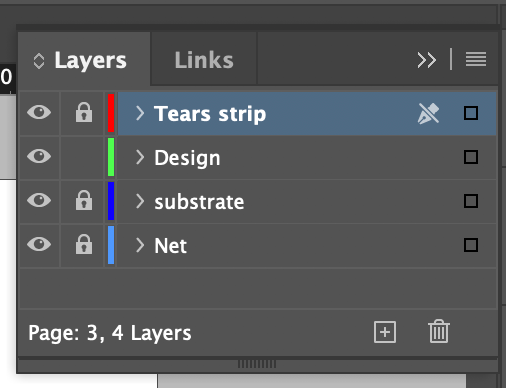
Designs


I decided to use the bottom two designs as the first design did not work due to having too little whitespace making the pattern being too overbearing and dominant. Where as with the other two there is a solid hierarchy. Through out all my designs I used the embossing tool on the words Whiz and NHS to help put these two elements at the forefront of the viewers mind I was planning to emboss the patter as well but it looked too busy. I chose these two words to be embossed because the brand name should be the first thing the viewer sees and then NHS is there to show that this product is reliable as the NHS are using this product.
Adobe Dimension
To help me and the client visualise the designs I brought my designs into Adobe Dreamweaver which is a software made to help put designs into a 3D environment.
How to Use Adobe Dimension

Create a new file > click on one of the pre made objects (left side of image) > adjust the dimensions of the box to your preferences.

To apply a substrate > click on the title of your object > material > change material.
To apply decal > actions > graphic > select imagery > place and scale.
Initial Designs


I was happy with these first two developed designs however I decided to go back to them and develop them more as I felt I could create more variation with my pattern. This luckily lead me to creating a more successful design that I will put forward to the client.
Alternative Designs

Final Design

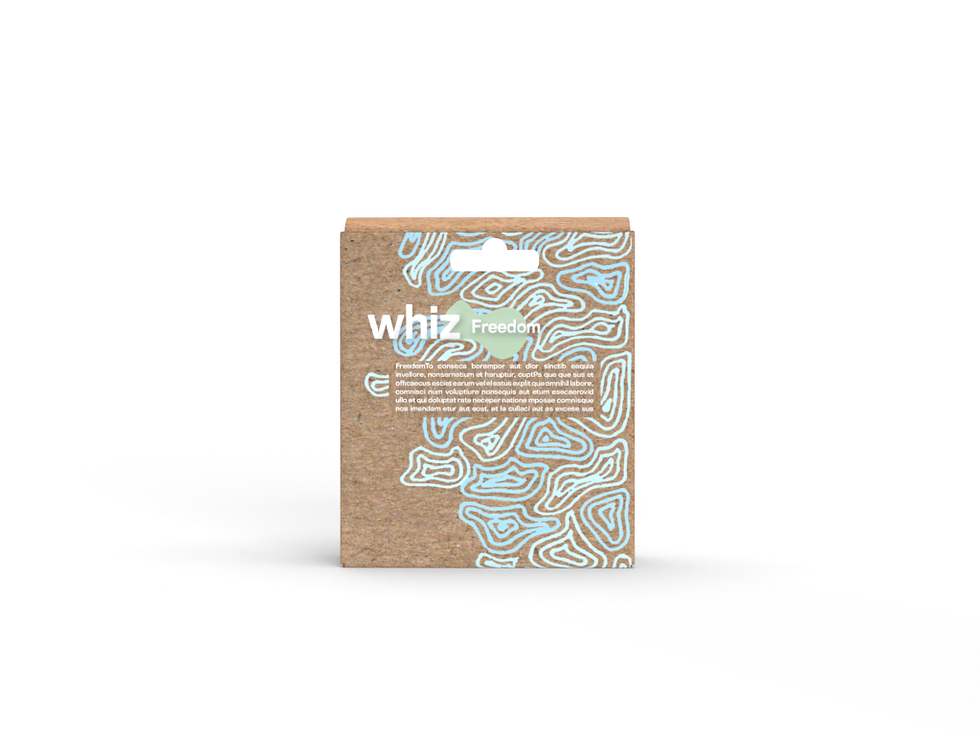

I chose this as my final design as the pattern wrapped the whole way round the product making it lead the eye across from information at the front to the back. I also liked the use of white space making it a simple and easy to read the package design because the white space lets the eye rest after seeing the busy and bright pattern on the box.


Comments